
How the Kauaʻi Court Calendar Works
Kauaʻi County does not run its own daily docket portal. The public route is eCourt Kōkua. It offers an Upcoming Court Hearings Search plus hearing and event details inside each case. The calendar spans the whole state. Pick Kauaʻi and the right Fifth Circuit location, or search by a valid case ID. Future and concluded events can sit side by side in one record. That trips up plenty of first-time users.
Filtering works by island, location, courtroom or division, date range, and an optional time. A printable view may be offered. If you already have the case identifier, Case-ID mode works better. The case's Hearings tab carries the setting details. Later Case Dockets entries can reveal a change or continuance. The newest filed notice or order still controls.
Kauaʻi Hearings in eCourt Kōkua
The hearing search goes deeper than a name lookup. Case ID mode takes a valid identifier and returns its schedule. Court/Location mode suits someone scanning a court's public list. Choose Kauaʻi, the Fifth Circuit location, a courtroom or division, and a date range. One mode fits the person who knows the case number. The other fits the person browsing a docket.
| Calendar field | Input | Use |
|---|---|---|
| Case ID | Text | Finds hearings for one valid case. |
| Island | Dropdown | Select Kauaʻi. |
| Location | Dropdown | Select the Fifth Circuit site. |
| Courtroom/Division | Dropdown | Narrows the public calendar. |
| Date From / To | Date range | Sets the calendar period. |
| Calendar Time | Optional filter | Narrows results by time. |
Times follow Hawaiʻi Standard Time. Read what appears in that local context. A saved printout can go stale after an order, an emergency closure, or a later clerk update. Treat it as a reference, not proof that nothing changed.
Kauaʻi County Court Date Lookups
Each access channel has its use. Online search is fastest. The court-issued notice, clerk phone, courthouse counter, public terminal, and written request all serve as backup ways to verify or recover a court date. The Judiciary posts no separate printed daily calendar for Kauaʻi. The eCourt printable view is the list format it provides.
- Read the newest citation, notice, or order first.
- Search Upcoming Court Hearings by case ID or Kauaʻi court location.
- Open the case and compare Hearings with later Case Dockets entries.
- Call the correct courtroom or clerk branch if the sources conflict.
- Visit the Puʻuhonua Kaulike counter or public terminal when online access fails.
- Use the proper Fifth Circuit email or written Court Records Rules request for an older or missing record.
Phone numbers reach each division directly. For District criminal and traffic matters, call Courtroom 2 at (808) 482-2645 or Traffic Operations at (808) 482-2355. District civil answers at (808) 482-2303. Family civil Courtroom 1 is (808) 482-2611. Family criminal, paternity, and juvenile matters in Courtroom 3 use (808) 482-2391, while Circuit felony Courtrooms 4 and 6 take (808) 482-2322 and (808) 482-2373. A party's attorney may also hold the operative notice.
Kauaʻi Citation Date Searches
A citation number can unlock the court setting before you ever have a full case ID. Run the number through Case Search in eCourt Kōkua. Open the matched case and check Hearings. Traffic readers should also scan later CHD or CON events. Keep in mind that eTraffic only pays eligible citations. It is not the court calendar or a stand-in for the case docket.
A brand-new ticket may not be in the system yet. Entry can take 13 days or longer. Follow what the citation itself instructs. Call Traffic Operations before the response deadline if the case still has not appeared. The Kauaʻi Police Department issues the citation. But the Judiciary holds the court record once it is filed.
Court Settings: What Each Field Means
Read a Kauaʻi County court setting as a set of fields, never a bare date. Match the case ID and court first. Then look at the local date and time. Check the courtroom or division, and the setting type. A judge may be named, but pending-case questions belong with clerk staff, not the judge. Checking each field keeps a correct date from being paired with the wrong room or event.
| Date | The scheduled calendar day in Hawaiʻi Standard Time context. |
|---|---|
| Time | The listed start or calendar time, which should be confirmed. |
| Courtroom | The room or division assigned within the Fifth Circuit location. |
| Judge | The presiding judicial officer when displayed; not a contact route. |
| Setting Type | Arraignment, motion hearing, status conference, trial, sentencing, or another event. |
The official eCourt Kōkua manual explains the search controls and every case tab. When a label confuses you, compare it against the full entry description rather than guessing.
Kauaʻi Court Setting Terms
Setting types signal why a appearance is scheduled. Arraignment is the formal charge-and-plea stage. An initial appearance covers early questions like identity, custody, counsel, and next steps. Pretrial and status conferences check readiness and progress, while a motion hearing takes up a filed request. Trial is the evidentiary stage. Sentencing follows a conviction or plea.
- Arraignment
- The formal charge-and-plea stage in a criminal case.
- Motion hearing
- Argument or evidence on a filed request for court action.
- Trial
- Adjudication based on evidence, with a jury or judge as applicable.
- Sentencing
- The criminal penalty hearing after conviction or plea.
- Review hearing
- A later check on compliance with an order or program condition.
The event type alone shows no result. A motion hearing may yield an order later. A trial setting can be continued, and a sentencing entry belongs with the disposition and sentence fields. The chronological docket preserves that whole path.
When a Court Date Moves
A continuance only pushes a setting back. It never wipes the first date out of the record. Hawaiʻi marks these moves with codes. CHD stands for Change of Court Date, CON for Case Continued, and CONP for Case Continued to a P.M. Calendar. That is why one Kauaʻi case can show more than a single date. Trust the newest entry, along with any filed notice or order that changed the schedule.
If a search result disappears or an old listing contradicts the notice, do not treat that as permission to skip court. Call the courtroom right away and tell staff exactly which sources conflict. Closures can override a normal calendar too. A March 2026 weather notice shut Kauaʻi courts. It reset hearings, extended a filing deadline, and pointed users to eCourt Kōkua for current information.
Note: a reset changes the operative setting. It keeps the prior Kauaʻi calendar event in the case history.
Kauaʻi Calendar Terminal Access
The Judiciary public-terminal directory lists terminal access at Puʻuhonua Kaulike. A courthouse PC helps when the online docket search will not cooperate. Use it to view public material on screen. You can also ask clerk staff to identify the right case. Viewing costs nothing, though copies still carry fees.
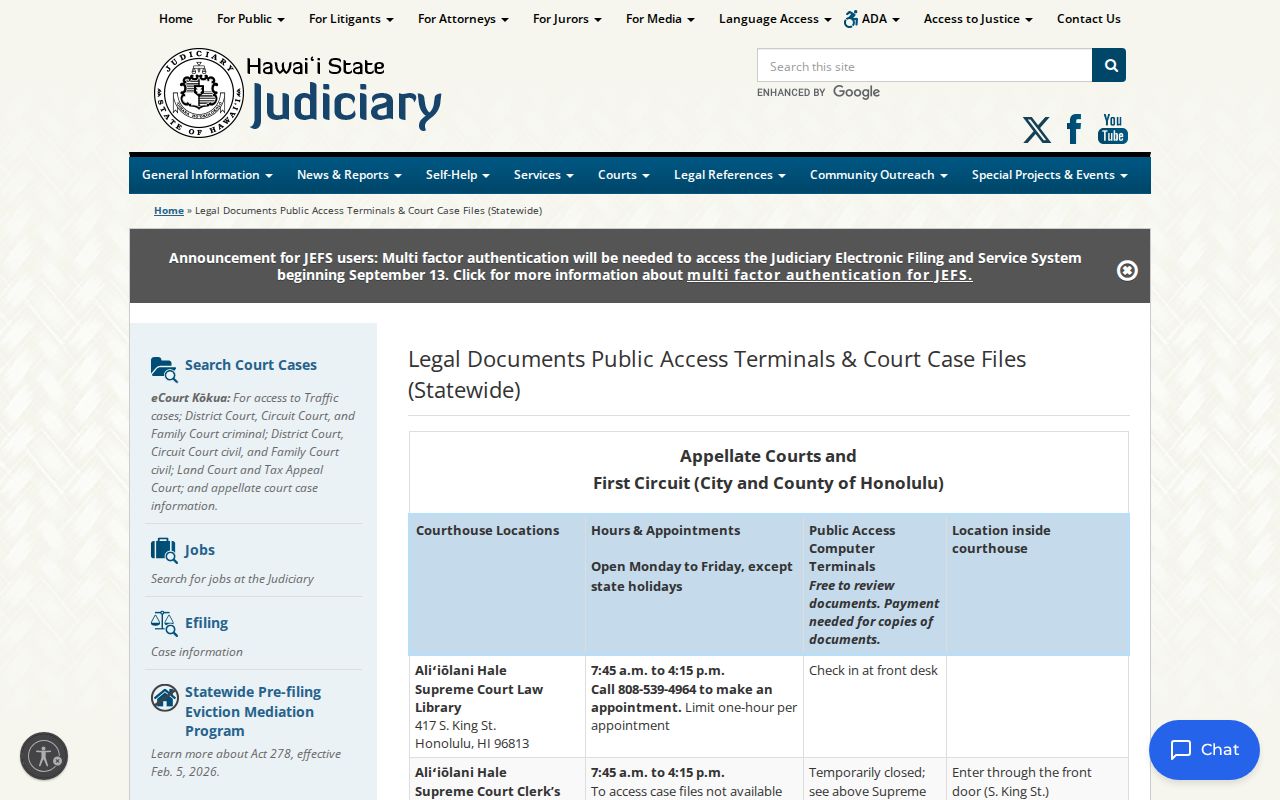
Think of the terminal as a fallback, not a separate calendar. It pulls Judiciary information built on the same Fifth Circuit case structure. Call ahead about older files, since retrieval may be needed before any visit to 3970 Kāʻana Street in Līhuʻe.
Kauaʻi Docket Dates Versus Hearings
An old hearing date in Case Dockets proves something. The event was scheduled or addressed at some point. It does not guarantee that is your next appearance. The Upcoming Court Hearings results and the Hearings tab carry calendar data. Meanwhile, the docket holds filed notices, minutes, orders, and later changes. Both views matter. They just answer different questions about a Kauaʻi case.
Current date check: Compare the newest court notice, Upcoming Court Hearings result, Hearings tab, and any later CHD, CON, or order entry.
When those sources disagree, stop trusting the old line and phone the courtroom. Some older or nonpublic cases must go through the proper Legal Documents branch instead. District civil requests go to LegalDocs.5DC@courts.hawaii.gov. Circuit and Family use LegalDocs.5CC@courts.hawaii.gov. District criminal plus traffic copies go to CopyRequests.5DC@courts.hawaii.gov.
Missed Settings and What Comes Next
Missed a Kauaʻi County setting? Check the case at once. Then call the courtroom clerk or an attorney. Ask whether a new date, an order, a default, an FTA, or some other action has been entered. Waiting for a general calendar page to fix things is a mistake, since the outcome turns on the case type and whatever order the court makes.
Missed a setting? A nonappearance may prompt an FTA entry, default, warrant, bond action, or another court order, depending on the case.
Call the correct Fifth Circuit clerk at once, review the newest docket entries, and follow the court’s instructions.
Legal advice about the effect of a missed appearance must come from a licensed attorney.
Skip a traffic infraction deadline and a default judgment may follow. Criminal traffic and other criminal nonappearances can play out differently. Read the actual case record before assuming anything. The Kauaʻi criminal court docket page explains why FTA counts as an event rather than a final decision on the merits.